


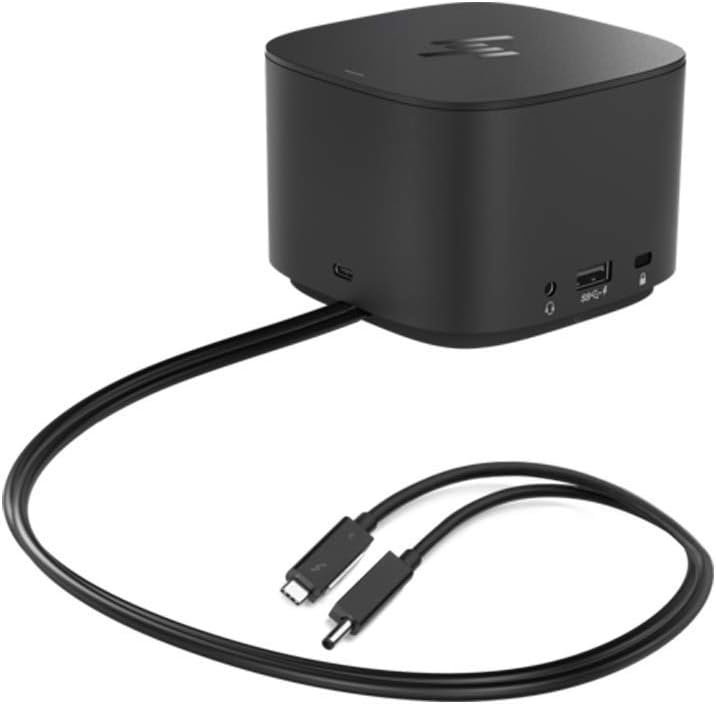
Product Overview
The HP Thunderbolt Dock G2 with Combo Cable is a business-class docking station designed primarily for HP EliteBook and ZBook laptops, though it can also work with many non-HP Thunderbolt and USB-C laptops. It connects through a Thunderbolt 3/USB-C combo cable and can provide power, display output, networking, and peripheral connectivity through a single dock.
General Specifications
- Thunderbolt 3 connectivity (up to 40 Gbps)
- 3 × USB-A ports
- 2 × USB-C ports
- 2 × DisplayPort outputs
- 1 × VGA output
- Gigabit Ethernet (RJ-45)
- 3.5 mm audio jack
- Supports multiple external monitors, including dual 4K displays in many configurations
- Available in 100W and 230W power variants; the Combo Cable version is typically the 230W model for HP mobile workstations.
Combo Cable Explained
The “Combo Cable” version includes:
- A USB-C/Thunderbolt connector
- An HP barrel power connector
The cable can be used:
- With just the USB-C/Thunderbolt plug for standard laptops.
- With both connectors for compatible HP ZBook mobile workstations that require higher power delivery.
Compatibility
Works best with:
- HP EliteBook series
- HP ProBook series
- HP ZBook mobile workstations
It can also work with many Dell, Lenovo, and other Thunderbolt-enabled laptops, although HP-specific features such as the dock power button, Wake-on-LAN enhancements, and MAC address pass-through may not function

 No products in the cart.